Know your margin
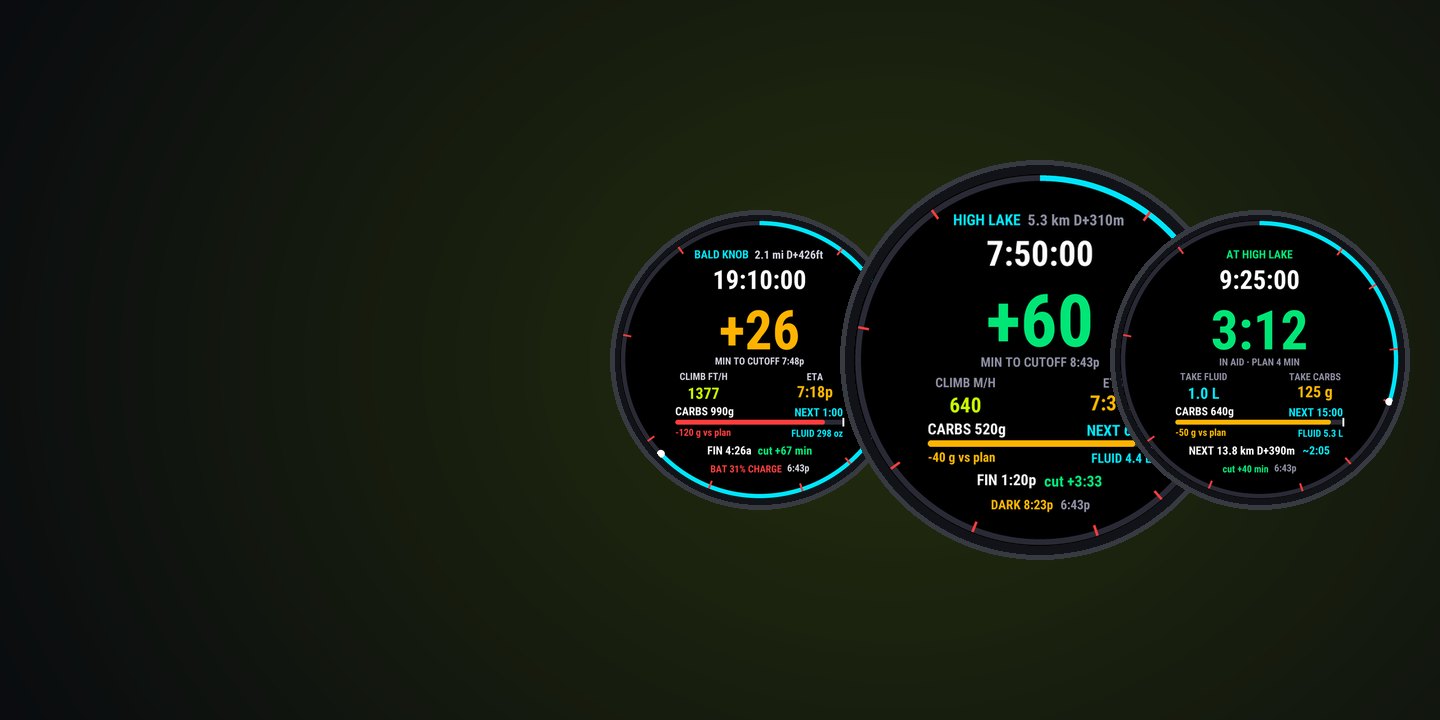
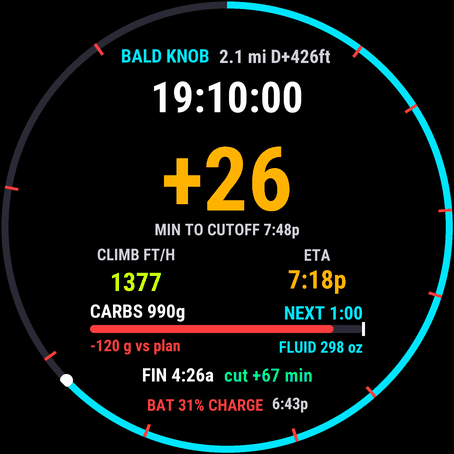
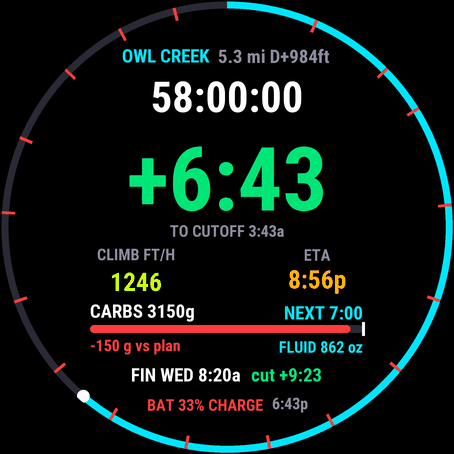
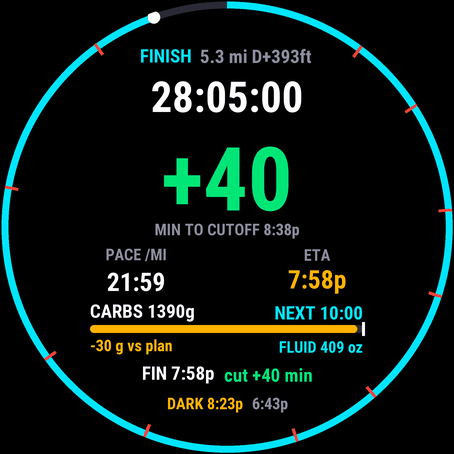
Minutes ahead of the next cutoff, from an ETA that knows the climb ahead and how you’re moving now. Green, amber, red.
Garmin Connect IQ data field · 50K to 200 miles
Your margin at the next cutoff. Always on screen.
The numbers that decide a long trail race, against your own plan: how far and how much climb to the next aid station, when you’ll get there, and how many minutes you have on its cutoff. Plus a fuel ledger, an aid-station stop timer and a battery that tells you if it’ll last.
by falkster · one-time purchase, no subscription
What it is
Coaches plan ultras as time between aid stations, and runners still tape split charts to their wrists because the watch doesn’t know the plan. ULTRA RACE does. Paste your aid stations once, and the field keeps the margin to the next cutoff in front of you from the start line to the finish.
Minutes ahead of the next cutoff, from an ETA that knows the climb ahead and how you’re moving now. Green, amber, red.
Prompts from your gel size and grams per hour, on race time. The screen shows how far behind your plan you are, in grams.
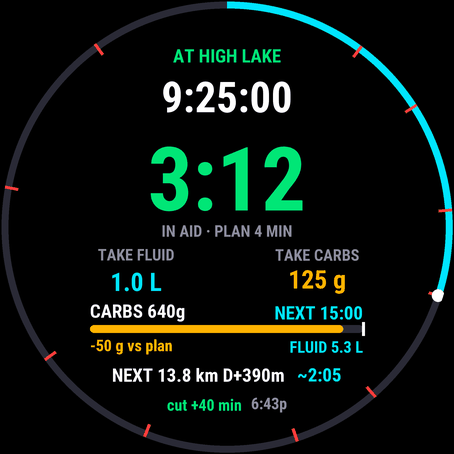
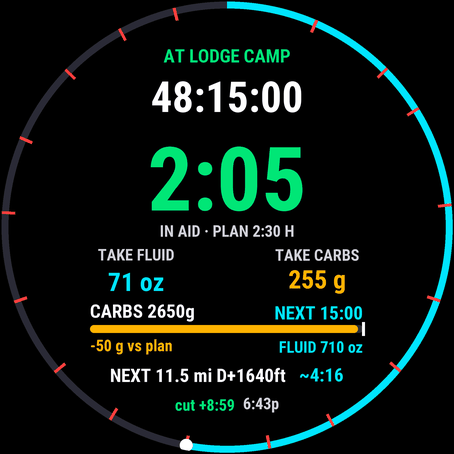
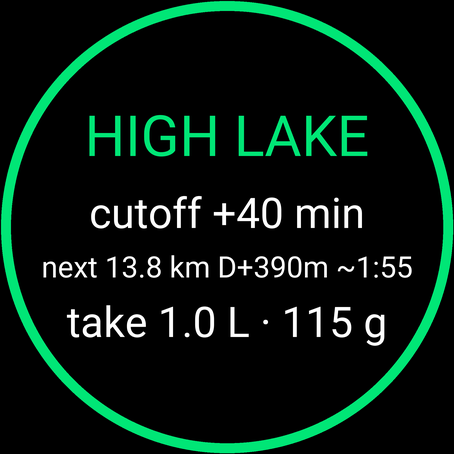
A stop timer, what to take for the next leg, and one nudge when your planned minutes are up.
Why it matters
Most runners don’t miss a cutoff because they lacked data. They miss it because the number that mattered, against their own plan, wasn’t on the screen at mile 70 at 2 a.m.
22 min
A runner exactly on Western States’ 30-hour pace has about an hour on the cutoffs for most of the race, but only 22 minutes at Robie Point, a mile from the finish. Margins collapse late.
33%
How much slower the field ran the second half of UTMB, CCC and Javelina, across 16,518 finishes. A pace-based ETA from mile 20 is wrong by mile 80.
96%
Western States runners who reported stomach trouble. Fuelling falls apart a missed gel at a time; finishers eat more than those who drop.
25–30%
How much too fast runners report Garmin’s PacePro on trail climbs. Pace-based estimates jump on every hill; an effort model doesn’t.
Sources: Western States aid stations and cutoffs; Journal of Functional Morphology and Kinesiology, 2022; Stuempfle & Hoffman on GI distress in a 161 km race; Garmin forum on PacePro in the mountains. The full research summary is in the guide.
Features
Big numbers, one colour code, and nothing that buzzes unless it matters. Every prompt is spaced out so they never stack up.
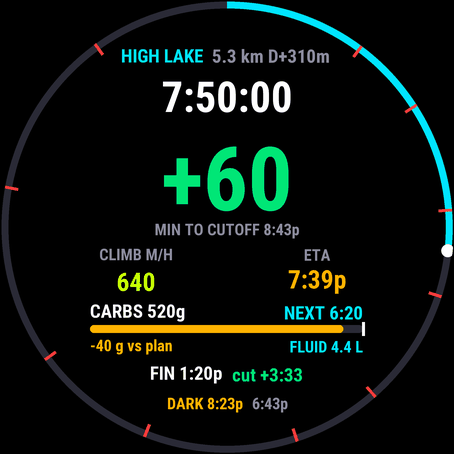
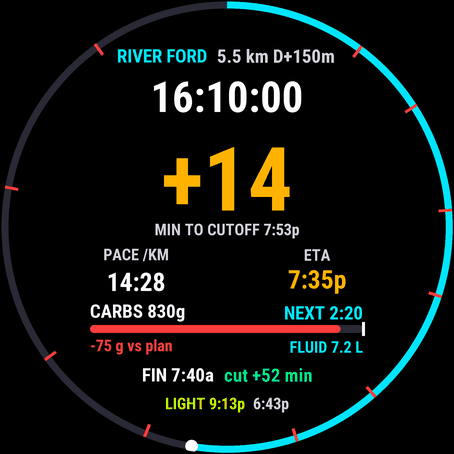
The big number is your margin at the next cutoff. Read it at a glance, with a headlamp, on hour 25.
Screenshots
Setup
Do it once, a week before the race, and try it on a long run.
Open the planner. Load the race GPX or type the aid stations from the race guide: distance, cutoff and, if you like, your goal time. It writes your plan code.
Install ULTRA RACE from the Connect IQ Store. In the Connect IQ app, open its settings and paste the code’s parts into Aid-station plan 1, 2 and on (a 100-miler needs two or three, a 200-miler up to five). Set your fuel numbers.
On the watch, add a data screen with a one-field layout to your Trail Run (or Ultra Run) profile and pick ULTRA RACE. Turn Auto Lap off, and enable ULTRA RACE under Alerts › Connect IQ.
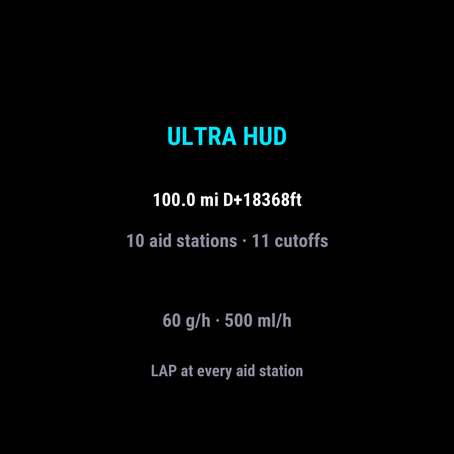
Open the activity: the ready screen shows the distance, climb, aid stations and cutoffs it loaded. If a count looks wrong, fix the plan now, not at the start line.
Every setting, its default and how the numbers are worked out is in the guide.
Race day
Start the activity at the gun. If you start the watch late, set the gun time in the settings so cutoffs keep their minutes.
Look at the big number. Green: run your race. Amber: keep moving and plan a short stop. Red: every minute counts. Eat when it says EAT.
Press LAP as you arrive. Read the summary: margin, the next leg, what to take. Leave before the stop timer turns red.
The labels brighten and every prompt flashes the light. The bottom line says when it gets light again.
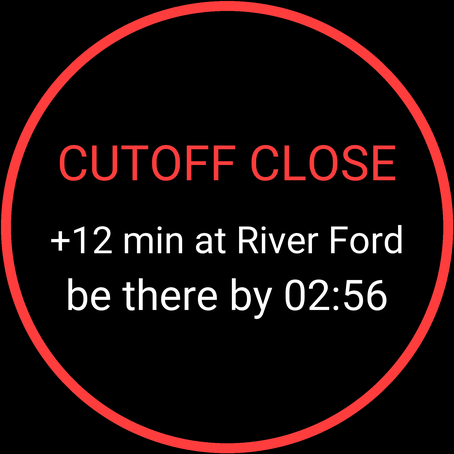
When the margin drops under 15 minutes you get a double buzz and the clock time to be at the next aid station by. Do the maths once, with the watch, not in your head.
A crash or “resume later” doesn’t reset ULTRA RACE: the race, the stations passed and the fuel ledger are saved every 90 seconds and at every aid station.
Devices
Connect IQ 4.2 or later. No course or navigation needed; on watches with navigation it can also use your course’s aid-station points.
70, 165, 165 Music, 170, 170 Music, 255, 255 Music, 255S, 255S Music, 265, 265S, 570 (42 and 47 mm), 955, 965 and 970.
fenix 7, 7S, 7X and their Pro and Solar editions, fenix 8 (43 and 47/51 mm AMOLED, Solar, Pro), fenix 9 and 9 Pro, fenix E, epix (Gen 2), epix Pro (42, 47, 51 mm).
Enduro 3 and 4, Instinct 3 AMOLED (45 and 50 mm), Instinct Crossover AMOLED.
Venu 3, 3S, Venu 4 (41 and 45 mm), Venu X1, vivoactive 5 and 6.
MARQ (Gen 2), MARQ Aviator, MARQ (Gen 3), D2 Mach 1 and 2 (and Pro), Descent Mk3 (43 and 51 mm), and the tactix editions of these watches.
Privacy
ULTRA RACE has no internet permission, no account and no server. It can’t send anything anywhere.
The planner reads your GPX in your browser. Nothing is uploaded; your plan is saved only in your browser.
Carbs, fluid, cutoff margin and aid time go into your own activity file. Privacy policy.
FAQ
No. ULTRA RACE works from your aid-station plan and the watch’s distance, so it runs on every supported watch, including the Forerunner 255, 265 and 570, which give Connect IQ fields no course data at all. If you do navigate a course whose points are named like your aid stations, ULTRA RACE uses the exact distance to the next point and marks your arrival when you reach it.
Press LAP when you reach an aid station. ULTRA RACE snaps its course distance to the station’s official distance (GPS reads 1 to 3% off over a long day, more in trees and on switchbacks), shows the arrival summary and starts the stop timer. It counts you as gone when you’ve moved for 20 seconds or 250 m, or when you press LAP again (at the latest after 90 minutes, or twice a longer planned stop, so a sleep stop isn’t cut short). Turn Auto Lap off in the Trail Run profile, so only your presses count.
Nothing breaks. ULTRA RACE passes the station by distance, keeps your cutoffs and ETA going, and simply doesn’t correct the GPS distance there. The next LAP press corrects it, even one station later.
From effort, not just pace: every 100 m of climb counts as one kilometre (the same rule as ITRA effort points), and your effort rate blends the last hour with your whole race so far, leaving out time stopped in aid stations. Everything after the next aid station is slowed by your fade setting (10% by default), because almost everyone runs the second half slower. That keeps the ETA steady on climbs, where a pace-based ETA jumps around.
ULTRA RACE treats aid-station cutoffs as leave-by times, as most races do, so your planned stop counts against the margin. The finish cutoff is an arrival time. Enter cutoffs as clock times (15:15), as a clock time on a given race day (D3 14:00, day 1 being the start day) or as elapsed times from the gun (+9:50); clock times after midnight land on the next day by themselves.
Yes: 50K, 100K, 100 miles, 120 and 150 miles, 200 miles and longer. The planner has a 100-, 120-, 150- and 200-mile example to start from. The plan takes up to 60 aid stations over eight settings, and cutoffs can be days out (D4 06:00, or +87:30 from the gun). Each station can have its own planned stop, so a three-hour sleep counts against the next cutoff and your finish, and the stop timer shows hours. Cutoffs and the finish that are a day or more away show the weekday, and the race clock runs past 100 hours. The watch dying is covered too: see the next question.
Within one activity, a crash, a restart of the field or “resume later” picks the race up where it was. If the watch saves the activity on a dying battery, or you save it to charge, and you start a new activity within 12 hours, ULTRA RACE carries the race on when it was 6 hours or more in and short of the finish: the same gun, stations, distance, climb and fuel ledger, with the time off the watch counted as stopped. Press LAP at the next aid station and it syncs there, whatever the GPS distance says. After a DNF, turn off “continue after a restart” in the settings (or wait 12 hours) so your next run starts fresh.
It complements them. Course Planner, on the newest watches, counts down only near a checkpoint and estimates arrival from your current pace. ULTRA RACE keeps the margin at the next cutoff on screen all race, from a climb-aware ETA, and works on watches Course Planner doesn’t reach, like the fenix 7 and epix Pro.
By default a fuel prompt counts as taken. On touch watches that pass taps to data fields, choose “Tap the field to log”: a tap logs the portion that’s due, and an untapped prompt repeats. A tap with nothing due logs a portion and restarts the interval, for what you ate at an aid station. There are no prompts while you’re in an aid station.
Garmin turns Connect IQ alerts off until you enable them: in the Trail Run profile’s Alerts, enable ULTRA RACE under Connect IQ. The vibration and the numbers on the field work either way.
It measures how fast your battery has dropped over the last hour and compares the hours left with your projected time to the finish. When it won’t last, the bottom line turns red and a prompt says to charge at the next aid station.
$3.99 once, through Garmin’s Connect IQ Store. No subscription, no account. Garmin handles payment and refunds. The planner on this site is free.